
TL;DR:
- Gusto is ideal for small U.S.-based businesses seeking quick, transparent payroll setup and simple cost structure. Rippling offers advanced automation, global payroll support, and IT management for growing teams, but requires longer implementation. The Gap ProAdvisors provides managed payroll, bookkeeping, and tax services without platform complexity or surprises.
If you run a U.S.-only small business with under 50 employees and want payroll running by tomorrow, Gusto is the cleaner choice. If your team is growing fast, you're hiring internationally, and you want HR, IT, and payroll in one automated system, Rippling earns its complexity. The core trade-off is simple: payroll-first simplicity versus platform unification.
TL;DR — three trade-offs to know before you read further:
- Cost predictability: Gusto publishes transparent tiered pricing starting at a base monthly fee plus a per-employee charge; Rippling uses a modular, quote-based model whose total per-employee cost varies significantly with the number of modules added, potentially becoming costly as modules stack.
- Time to first payroll: Gusto typically self-onboards in 1–2 days; Rippling's guided implementation commonly runs 2–8 weeks depending on which modules you activate.
- Global and EOR support: Rippling offers employer-of-record (EOR) services in 80 countries and supports contractor payments in 185+ countries; Gusto supports contractor payments in 120+ countries via partners and relies on third-party integrations for full EOR.
For businesses that would rather hand payroll to a trusted advisor than manage either platform, The Gap ProAdvisors offers a fully managed alternative with predictable monthly pricing across all 50 states.
Table of Contents
- How do Rippling and Gusto compare side by side?
- Feature-by-feature breakdown: payroll, HR, benefits, and security
- What makes Rippling stand out: IT, device management, and automation
- How do Gusto and Rippling handle contractors and international payroll?
- What does each platform actually cost?
- Which platform should you choose based on your situation?
- What should you expect from setup and ongoing support?
- Pros and cons: Gusto and Rippling at a glance
- If you prefer outsourcing payroll: why consider The Gap ProAdvisors
- Key Takeaways
- The real trade-off most buyers miss
- The Gap ProAdvisors: managed payroll and bookkeeping for small businesses
- Useful sources and further reading
- FAQ
How do Rippling and Gusto compare side by side?
The table below covers every dimension that matters for a purchase decision. Justworks, Deel, Hire With Columbus, and WorkMotion appear because they serve adjacent needs — PEO, global EOR, and international employment — that buyers often evaluate alongside these two platforms.
| Platform | Best for / size | Payroll & tax filing | Benefits & PEO | HRIS & onboarding | IT & device mgmt | Contractor / intl. payroll | Integrations | Pricing structure | Implementation | Security |
|---|---|---|---|---|---|---|---|---|---|---|
| The Gap ProAdvisors | Small U.S. businesses preferring fully managed payroll | Full-service payroll + IRS filings, all 50 states | Tax planning + bookkeeping bundled | Handled by advisor; no self-serve portal complexity | N/A (managed service) | Contractor 1099 compliance | QuickBooks Online | Predictable flat monthly fee | Same-week onboarding | SOC-compliant secure portal |
| Gusto | U.S.-only teams, 1–50 employees | Automated multi-state payroll, W-2/1099, all 50 states | In-house broker, all 50 states; no native PEO | New-hire workflows, PTO, org chart, offer letters | None | Contractors in 120+ countries via partners | QuickBooks, Xero, time-tracking, SSO | Tiered: Simple $49+$6/ee, Plus $80+$12/ee, Premium custom | 1–2 days self-serve | SOC 2 Type II |
| Rippling | Growing teams 25–500+, IT-heavy or global | Automated multi-state payroll, W-2/1099, all 50 states | Bring-your-own broker or carrier integrations | Full HRIS, onboarding, PTO, org chart, docs | Native MDM, app provisioning, SSO, device wipe | EOR in 80 countries; contractors in 185+ countries | 500+ integrations, deep API, SSO identity provisioning | Modular quote-based; ~$35–$50/ee/mo fully stacked | 2–8 weeks guided | SOC 2 Type II, ISO 27001 |
| Justworks | Companies wanting PEO + benefits bundling | Payroll via PEO structure, multi-state | PEO bundled; robust group benefits | Standard HRIS, onboarding, PTO | None | Limited international | Standard accounting integrations | PEO bundled pricing | Moderate | SOC 2 Type II |
| Deel | Companies with large international hiring needs | Global payroll specialist | Benefits vary by country | Basic HRIS | None | EOR and contractors globally; specialist coverage | Accounting, HRIS integrations | Per-employee monthly; EOR rates vary | Moderate to fast | SOC 2 Type II, ISO 27001 |
| Hire With Columbus | U.S. employers hiring across multiple countries | Via EOR structure | Country-specific benefits | Basic onboarding | None | International EOR and compliance | Standard integrations | Custom EOR pricing | Varies | Compliance-focused |
| WorkMotion | Firms prioritizing EOR-based international hiring | Via EOR structure | Local-compliant benefits | Basic onboarding | None | EOR in multiple jurisdictions | Standard integrations | Custom EOR pricing | Varies | Local compliance expertise |
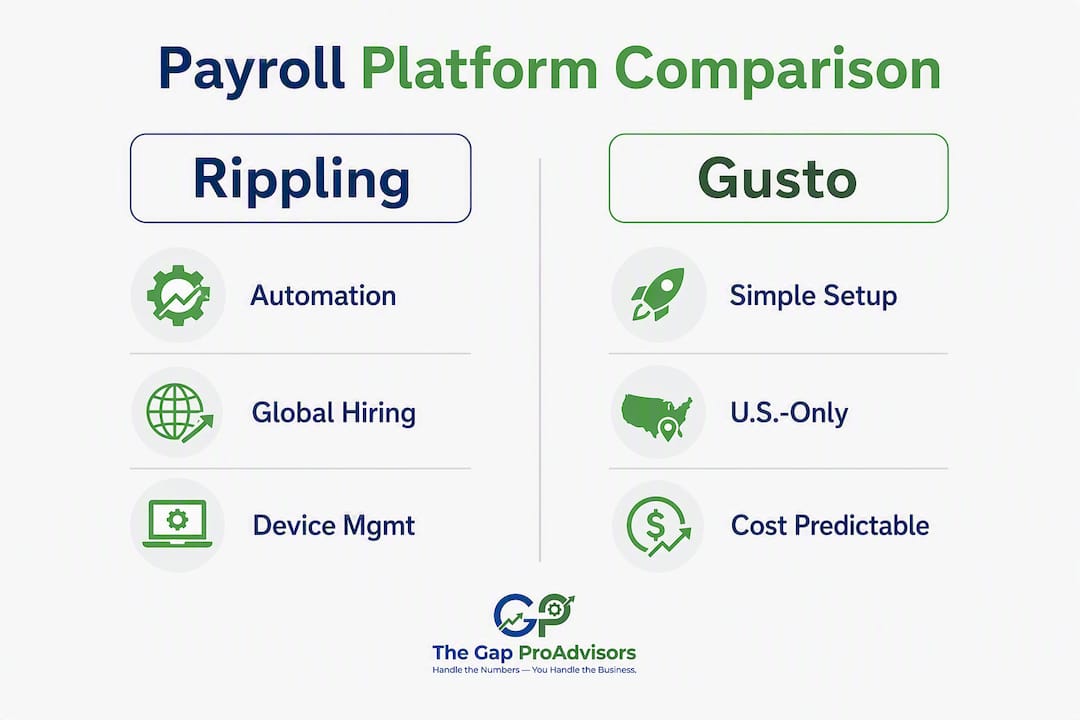
A note on EOR terminology: "Native EOR" means the platform holds employer-of-record liability directly in that country. "Partner EOR" means the platform routes through a third-party provider, which adds a support layer and can slow issue resolution. Rippling uses a mix of both; Deel, Hire With Columbus, and WorkMotion are specialist EOR providers built around that model.
Feature-by-feature breakdown: payroll, HR, benefits, and security
Payroll and tax filing
Both platforms handle automated federal and state payroll tax filings, W-2 and 1099 generation, and multi-state payroll across all 50 states. The practical difference is speed and configuration. Gusto is built for fast, accurate payroll runs with minimal setup — you enter employee data, connect your bank, and run payroll within a day or two. Rippling's payroll engine is equally capable, but it sits inside a larger platform that requires more configuration before the first run.
For IRS compliance, both platforms handle employer tax deposits and year-end filings automatically. Neither requires you to manage tax tables manually, which matters when you're operating across multiple states with different withholding rules.
Benefits and insurance
Gusto functions as an in-house benefits broker across all 50 states, which means you can shop, enroll, and administer health, dental, vision, and 401(k) plans without hiring a separate broker. That single-vendor simplicity is a genuine advantage for small employers who don't have an HR department.
Rippling takes a different approach. It expects you to bring your own broker or connect existing carrier integrations. That's workable for companies that already have a broker relationship, but it adds a coordination step that Gusto eliminates.
Benefits comparison at a glance:
- Gusto: in-house broker, all 50 states, 401(k) through Guideline, dental and vision included
- Rippling: bring-your-own broker, carrier integrations available, 401(k) through partners
- Justworks: PEO structure bundles benefits, often providing access to larger-group rates
- Deel and WorkMotion: country-specific benefits administered through local EOR structures
Core HR, onboarding, and PTO
Both Gusto and Rippling offer solid HRIS features: new-hire onboarding workflows, offer letter generation, org charts, PTO tracking, and employee document storage. Rippling's HRIS is more configurable — you can build custom approval chains, automate role-based access, and trigger workflows based on employee lifecycle events. Gusto's HRIS is simpler and faster to set up, which suits owners who want HR basics without a dedicated administrator.

Integrations and API
Rippling connects to 500+ third-party tools and offers deep API access with identity provisioning built in. When you onboard a new employee, Rippling can automatically provision their Slack, Google Workspace, and Salesforce access in the same workflow. Gusto integrates with QuickBooks, Xero, FreshBooks, and a solid set of time-tracking and point-of-sale tools, but its integration depth is narrower than Rippling's.
For accounting-focused small businesses, Gusto's QuickBooks and Xero sync is clean and well-documented. If you're already using QuickBooks Payroll and considering a switch, Gusto's accounting integrations make the transition straightforward.
Security and compliance
Security certifications:
- Gusto: SOC 2 Type II certified
- Rippling: SOC 2 Type II and ISO 27001 certified
- Justworks, Deel, WorkMotion: SOC 2 Type II; Deel also holds ISO 27001
Rippling's ISO 27001 certification adds a layer of information security management that matters for companies in regulated industries or those handling sensitive employee data across multiple countries. For most U.S. small businesses, SOC 2 Type II is the standard to verify.
What makes Rippling stand out: IT, device management, and automation
Rippling's core architectural difference is that every employee exists as a single object in the system. That one record drives payroll, benefits enrollment, device provisioning, app access, and approval workflows simultaneously. No other platform in this comparison does that natively.
Here's what that looks like in practice:
- New hire onboarding: When you add a new employee, Rippling can automatically ship a pre-configured laptop, provision their Google Workspace account, add them to Slack, enroll them in benefits, and set up payroll — all from one workflow trigger.
- Offboarding: When an employee leaves, Rippling wipes their device remotely, revokes app access across all connected tools, and processes their final paycheck in the same workflow.
- Role-based access control: Promote someone to manager and Rippling can automatically update their app permissions, expense approval limits, and org chart position without manual IT tickets.
- Device management: Rippling's MDM (mobile device management) can replace standalone tools like Jamf or Kandji for companies managing company-issued laptops and phones.
The trade-off is real. That level of automation requires a meaningful upfront configuration investment. Plan for an internal implementation owner, a testing window, and the 2–8 week timeline noted earlier. Companies that already use separate device management, SSO, and expense tools often find that consolidating into Rippling offsets the platform cost over time.
Pro Tip: Before requesting a Rippling quote, list every standalone tool you currently pay for — device management, SSO, expense management, and identity provisioning. If the combined cost of those tools approaches $20–$30 per employee per month, Rippling's unified pricing becomes competitive even at the higher end of its range.
How do Gusto and Rippling handle contractors and international payroll?
For U.S.-based contractors, both platforms handle 1099 generation and contractor payments cleanly. The difference emerges when you hire outside the U.S.

Rippling supports contractor payments in 185+ countries and offers EOR services in 80 countries, giving growing companies a single platform for both domestic payroll and international employment. Gusto supports contractor payments in 120+ countries through partner integrations, but relies on third-party EOR providers for full international employment.
Where each approach wins:
- Gusto + partners: — Works well for U.S.-focused businesses with occasional international contractors. Lower cost, faster setup, no EOR overhead when you don't need it.
For a small U.S. business paying a handful of international contractors, Gusto's partner integrations are usually sufficient. Once you're hiring full-time employees in multiple countries, Rippling's native EOR coverage or a specialist like Deel becomes worth the added cost.
What does each platform actually cost?
Pricing structure
Gusto publishes its pricing openly. The Simple plan starts at $49/month plus $6 per employee per month, covering full-service payroll and basic HR. The Plus plan runs $80/month plus $12 per employee and adds time tracking, PTO management, and next-day direct deposit. The Premium plan is custom-priced and includes dedicated support and HR advisory services.
Rippling does not publish a standard price list. Its base platform fee plus per-module per-employee-per-month charges compound as you add HR, IT, benefits, and EOR modules. Buyers report that a fully configured setup including HR, payroll, IT, and benefits can reach $35–$50 per employee per month before international add-ons. Annual commitments are common.
Sample cost estimates
| Scenario | Gusto Simple | Gusto Plus | Rippling (estimated, fully stacked) |
|---|---|---|---|
| — | — | — | $35–$50/employee/month |
Rippling estimates are based on the $35–$50 per employee per month range reported for fully configured deployments. Your actual cost depends on which modules you activate. Always request an itemized quote.
Common pricing gotchas to watch for:
- Rippling's base platform fee is separate from module fees; adding IT or EOR modules each carry their own per-employee charge.
- Gusto's contractor-only plan is available at a lower base rate, useful for businesses with no W-2 employees.
- EOR rates from Deel, Hire With Columbus, and WorkMotion are typically quoted per employee per month and vary by country.
- Mid-month hires may be prorated differently across platforms — confirm this before your first payroll run.
Pro Tip: Get a live Rippling quote with an itemized module list before comparing it to Gusto's published pricing. Module stacking is the primary driver of unexpected ongoing costs, and the gap between a minimal Rippling configuration and a fully loaded one is significant.
Which platform should you choose based on your situation?
The decision comes down to four questions:
- How many employees do you have, and where are they? — Under 50, all U.S.-based: Gusto. Over 25 with international hires or plans to hire globally: Rippling or a specialist EOR provider.
Buyer profiles:
When to request a live Rippling quote: when you have 25+ employees, at least one international hire or plan to hire abroad, and at least two standalone tools (device management, SSO, expense) you'd consolidate. When to start a Gusto free trial or demo: when you have under 50 U.S.-based employees, want payroll running this week, and value transparent monthly billing.
What should you expect from setup and ongoing support?
Implementation timelines
Gusto's self-serve onboarding is genuinely fast. Most small businesses complete setup in a day or two: enter company details, add employees, connect your bank account, and run payroll. Phone support is available on multiple plans, and reviewers consistently rate Gusto highly for ease of setup and support responsiveness.
Rippling requires a guided implementation. The 2–8 week range reflects real variation: a company activating only HR and payroll modules lands closer to two weeks; a company configuring HR, payroll, IT, benefits, and EOR integrations needs the full range or longer. Plan for an internal implementation owner who can dedicate meaningful time to configuration, testing, and user acceptance.
Support channels
Gusto offers phone, email, and chat support, with phone access on Simple and Plus plans. Rippling provides dedicated implementation support during onboarding and ongoing support through its help center and account management team, but the product's technical depth means support interactions tend to be more complex.
Questions to bring to vendor demos
Before signing with either platform, get clear answers on:
- Who handles state tax registration for new states you enter?
- What does data migration from your current system look like, and who owns it?
- What is the rollback plan if implementation stalls?
- How is API access priced, and are there rate limits?
- What is the SLA for payroll error corrections?
For multi-state payroll compliance questions, The Gap ProAdvisors' payroll resources cover common filing requirements and can help you prepare the right questions before your demo.
Pros and cons: Gusto and Rippling at a glance
Gusto
Pros:
- Transparent, published pricing with no surprise module fees
- Self-onboards in 1–2 days; first payroll runs fast
- In-house benefits broker across all 50 states, no separate broker needed
- Strong phone support on most plans; consistently rated for ease of use
- Contractor-only plan available at lower cost
Cons:
- No native IT or device management; not a unified HR+IT platform
- International EOR relies on third-party partners, not native coverage
- Less automation depth for complex approval workflows
- Premium plan pricing is not published; requires a sales call
Best for: U.S.-only small businesses that want fast, accurate payroll without platform complexity.
Rippling
Pros:
- Native IT and device management replaces standalone MDM and SSO tools
- EOR in 80 countries; contractor payments in 185+ countries
- Deep automation across HR, payroll, IT, and app access from one employee record
- 500+ integrations with strong API and identity provisioning
- SOC 2 Type II and ISO 27001 certified
Cons:
- Modular pricing compounds quickly; fully stacked configurations reach $35–$50/ee/mo
- Implementation takes 2–8 weeks and requires a dedicated internal owner
- No in-house benefits broker; you bring your own
- Steeper learning curve; more technical administration ongoing
- Annual commitments are common, reducing flexibility
Best for: Growing companies that need HR, IT, and payroll unified, with international hiring or device management requirements.
If you prefer outsourcing payroll: why consider The Gap ProAdvisors
Not every business owner wants to choose between two SaaS platforms, configure modules, and manage software updates. Some prefer to hand payroll to a trusted advisor and focus on running their business. That's exactly what The Gap ProAdvisors is built for.
The Gap ProAdvisors handles payroll processing, bookkeeping, tax preparation, and year-round tax planning for small businesses across all 50 states. Everything runs through a secure online portal, and you get a single point of contact for compliance questions — no ticket queue, no chatbot. When a multi-state payroll question comes up or a 1099 needs to be filed, your advisor handles it.
The pricing model is predictable: flat monthly fees for ongoing payroll and bookkeeping, with one-time fees for tax preparation and cleanup projects. There are no module add-ons and no annual commitment surprises.
Pro Tip: If you're spending more time administering your payroll platform than actually running payroll, that's a signal. A managed service like The Gap ProAdvisors often costs less per month than a fully configured SaaS platform once you account for your own time.
For businesses that want the bookkeeping, payroll, and tax functions integrated under one advisor rather than three separate tools, The Gap ProAdvisors' payroll services page outlines current service tiers and how to request a custom quote.
Key Takeaways
Gusto wins on simplicity and cost predictability for U.S.-only small businesses; Rippling wins on automation and global reach for growing teams willing to invest in a longer setup.
| Point | Details |
|---|---|
| Gusto for small U.S. teams | Best for under 50 U.S.-only employees; self-onboards in 1–2 days with transparent tiered pricing. |
| Rippling for unified automation | Best for 25+ employees needing HR, IT, and payroll in one system; plan for a 2–8 week implementation. |
| International payroll difference | Rippling supports EOR in 80 countries and contractors in 185+ countries; Gusto covers contractors in 120+ countries via partners. |
| Watch Rippling's total cost | Fully stacked Rippling configurations can reach $35–$50 per employee per month; always request an itemized quote. |
| The Gap ProAdvisors alternative | For businesses that prefer managed payroll over SaaS administration, The Gap ProAdvisors offers flat-rate payroll, bookkeeping, and tax services across all 50 states. |
The real trade-off most buyers miss
Most Rippling vs Gusto comparisons focus on feature lists. The more useful question is: what does your business actually need to run payroll accurately and stay compliant — and how much of your time is that worth?
Gusto's simplicity is a genuine product decision, not a limitation. For a 15-person U.S. business, the ability to run payroll in minutes, access an in-house benefits broker, and call support when something goes wrong is worth more than a device management module you'll never configure. The platform's transparent pricing also makes budgeting straightforward, which matters when cash flow is tight.
Rippling's complexity is also a genuine product decision. The automation depth is real, and for a 75-person company managing company laptops, international contractors, and a stack of SaaS tools, consolidating those functions into one platform can save meaningful time and money. However, that value only materializes after a real implementation investment, and many buyers underestimate how long the configuration and testing phase takes.
The miscalculation I see most often: a growing business buys Rippling for its automation promise, underestimates the implementation timeline, and runs payroll late during the transition. The fix is simple — plan for the full 2–8 week window, assign an internal owner, and don't schedule your go-live date during a payroll week.
For businesses that aren't sure which direction to go, a conversation with a payroll advisor before signing any platform contract is worth the time. The right platform depends on your headcount, your growth plan, and how much internal capacity you have to manage software.
The Gap ProAdvisors: managed payroll and bookkeeping for small businesses
There are other routes to accurate, compliant payroll — Gusto, Rippling, and the EOR specialists covered above are all legitimate options. But if you'd rather have an expert handle payroll, bookkeeping, and taxes under one roof instead of managing another software subscription, The Gap ProAdvisors is a stronger fit for your situation.
The Gap ProAdvisors provides remote payroll processing, bookkeeping, tax preparation, and year-round tax planning for small businesses across all 50 states. Flat monthly pricing means you know exactly what you're paying, and a dedicated advisor handles your compliance questions directly. No module stacking, no implementation project, no annual contract surprises.
Whether you're running payroll for five employees or fifty, across one state or several, the service scales with your business. Visit mygappro.com/payroll-services to see current service options and request a custom quote.
Useful sources and further reading
Use these resources to verify pricing, country coverage, and implementation details before contacting vendors:
- Gusto vs Rippling comparison — WhichPayroll: Detailed side-by-side covering pricing, EOR coverage, and implementation timelines.
- Gusto vs Rippling — PayrollSoftwareGuide: Analyst framing of the simplicity-vs-unification trade-off with buyer guidance by company size.
- Rippling vs Gusto — FitSmallBusiness: Customer experience and support quality comparison with reviewer consensus data.
- Gusto vs Rippling — Gusto's official comparison page: Gusto's published feature and pricing comparison (vendor perspective).
- OnPay vs Gusto — FitSmallBusiness: Useful context for buyers also evaluating OnPay as a Gusto alternative.
- OnPay vs Gusto — Forbes Advisor: Independent comparison of features, pricing, and reviewer ratings for both platforms.
Before contacting any vendor, collect:
FAQ
Is Gusto a U.S.-based company?
Yes. Gusto is headquartered in San Francisco, CA, and is built specifically for U.S. businesses. It is not an Israeli company.
Who are Gusto's main competitors?
Gusto's primary competitors include Rippling, OnPay, ADP Run, Paychex Flex, and Justworks. For international payroll and EOR, Deel, Hire With Columbus, and WorkMotion also compete for overlapping buyer needs.
Which is better: Rippling, Deel, or Gusto?
It depends on your use case. Gusto is the stronger choice for U.S.-only small businesses under 50 employees; Rippling fits growing teams that need HR, IT, and payroll unified; Deel is the specialist pick when international EOR is your primary requirement.
What large companies use Rippling?
Rippling is used by mid-market and enterprise companies that need unified HR, IT, and payroll automation. Its customer base skews toward tech-forward companies with over 25 employees, though it serves businesses of various sizes.
Can The Gap ProAdvisors replace Gusto or Rippling?
For small businesses that prefer a managed service over self-administered software, yes. The Gap ProAdvisors handles payroll processing, bookkeeping, and tax compliance across all 50 states with flat monthly pricing, making it a practical alternative to running either platform in-house.