
TL;DR:
- Gusto is ideal for small businesses seeking predictable pricing and quick setup, while ADP offers deeper compliance and reporting for growing, complex firms. For owners wanting payroll managed entirely by an accountant, The Gap ProAdvisors provides a fully managed, integrated service without software to handle.
For most small U.S. businesses that want predictable pricing and fast setup, Gusto is the better fit. For firms that need managed compliance, deeper HR services, and enterprise-grade reporting, ADP is the stronger choice. And if you'd rather hand payroll off entirely to an accountant-led team, The Gap ProAdvisors offers a managed alternative that neither software platform can replicate.
Here's the short version by business profile:
- Single-operator or small team (under 20 employees, one state): Gusto's published pricing, unlimited pay runs, and clean self-serve interface make it the clear starting point.
- Growing multi-state employer (20–100+ employees, complex pay types): ADP RUN or Workforce Now gives you the compliance depth, role separation, and reporting infrastructure that complexity demands.
- Business owner who wants payroll off their plate entirely: The Gap ProAdvisors handles payroll, bookkeeping, and 1099 compliance as a managed, accountant-led service — no app to learn, no filings to track.
The comparison table below shows how all three stack up across the dimensions that actually drive the decision.
Table of Contents
- How do Gusto, ADP, and The Gap ProAdvisors compare side by side?
- What does each option actually deliver day to day?
- How does payroll pricing actually work, and what fees should you watch for?
- Which compliance scenarios push you toward ADP or a managed provider?
- What integrations and reports should you test before you commit?
- What questions should you ask vendors before you sign?
- How do the mobile apps compare?
- Which platform is easier to use day to day?
- How well does each option scale as your business grows?
- Key Takeaways
- What I've seen working with small business owners on payroll decisions
- The Gap ProAdvisors: a hands-off payroll solution for Louisiana small businesses
- Useful sources
- FAQ
How do Gusto, ADP, and The Gap ProAdvisors compare side by side?
| Option | Best For | Pricing Model | Payroll Features | Benefits & Retirement | Time Tracking & PTO | Multi-State Support | Contractor/1099 | Integrations | Customer Support | Reporting | Onboarding Time |
|---|---|---|---|---|---|---|---|---|---|---|---|
| The Gap ProAdvisors | Small business owners who want outsourced, accountant-led payroll + bookkeeping | Monthly managed service; custom quote | Full-service payroll, tax filings, garnishments, 1099 compliance | Coordinated with your tax strategy | Handled within managed service scope | Yes, across all states | Included; 1099 filing handled | QuickBooks Online; secure portal | Dedicated accountant; white-glove | Advisory-level reporting tied to books | Discovery call + structured onboarding |
| Gusto | Small to mid-size U.S. businesses wanting self-serve simplicity | Published tiers: Simple ($49/mo + $6/employee), Plus, Premium | Unlimited pay runs, auto tax filing, W-2/1099 e-filing | Medical/dental/vision plans; 401(k), HSA, FSA | Built-in PTO tracking; third-party time clock integrations | Yes; multi-state may require Plus tier upgrade | Included on most plans; verify year-end fees | QuickBooks, Xero, 200+ apps | Self-serve; phone/chat; slower escalation | Basic; no report bookmarking | Fast; same-day to a few days |
| ADP (RUN / Workforce Now) | Mid-size to enterprise; complex compliance needs | Custom quote; add-ons common; potential long-term contracts | Federal/state/local tax filing; absorbs penalties; garnishments | Broader carrier network; enterprise benefits marketplace | Time clock integrations; scheduling via add-ons | Yes; strong multi-state infrastructure | Included; verify per-filing fees | ERP hooks; QuickBooks; broad ecosystem | 24/7 phone/chat; named reps on higher tiers | Drag-and-drop custom reports; CSV/PDF/Excel | Longer; implementation support available |
| FRIDAY | Micro-businesses and solopreneurs | Flat-fee pricing | Basic payroll; limited pay types | Limited | Limited | Limited | Basic | Limited | Self-serve | Basic | Very fast |
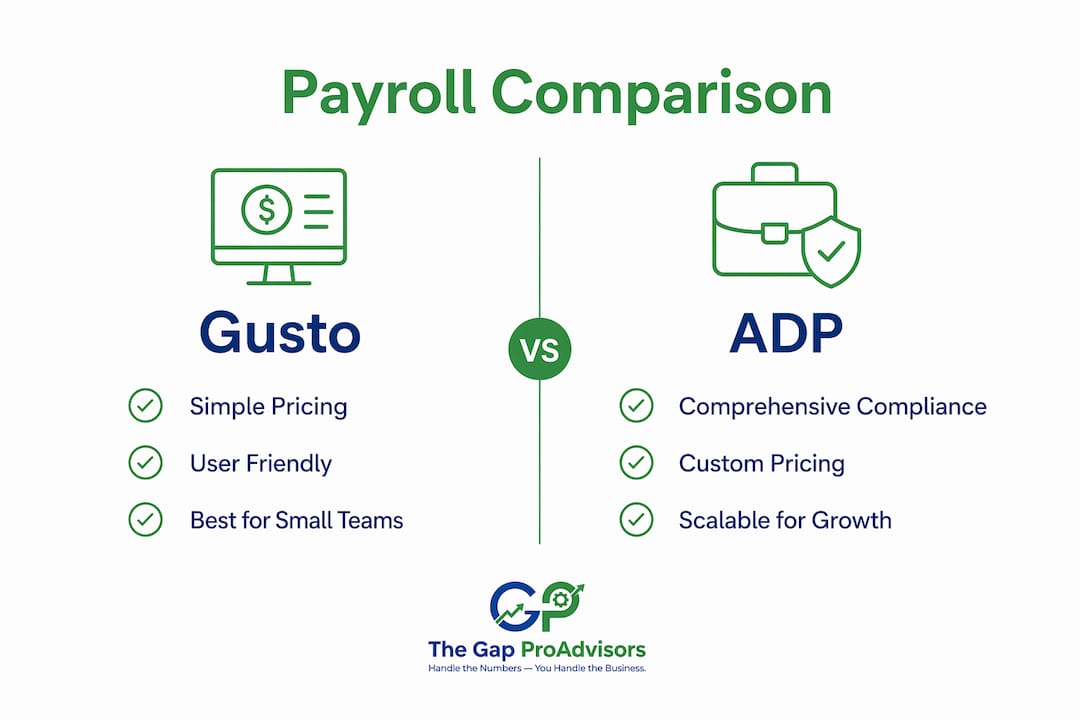
The Gap ProAdvisors suits owners who want payroll and books managed together, with no software to maintain. Gusto is the go-to for small businesses that want transparent pricing and a clean DIY experience. ADP earns its cost when compliance complexity, reporting depth, or multi-state scale makes a managed platform worth the investment. FRIDAY fits the smallest teams that need nothing more than a simple, flat-fee payroll run.
What does each option actually deliver day to day?
Gusto: fast, clean, and built for non-HR operators
Gusto's biggest advantage is that a non-payroll person can run it confidently. Setup typically takes a few days, the interface is genuinely intuitive, and unlimited pay runs are included across all tiers — no per-run charges. The Simple plan starts at $49 per month plus $6 per employee per month, with no long-term contract required.
Where Gusto shows its limits: reporting is basic. There's no report bookmarking, so you reset filters every time you pull a pay report. Customer support has a documented reputation for slow resolution on complex issues. And if you hire an employee in a second state, you may be forced into the Plus tier, which raises your per-employee cost materially. Model your 12–24 month total cost before signing up if you expect to expand across state lines.
Pro Tip: Ask Gusto specifically whether your planned pay types (tipped wages, garnishments, multiple pay rates) are supported on the Simple plan before you commit. Some features that look bundled require a tier upgrade.
ADP RUN / Workforce Now: compliance depth at a price
ADP's strength is infrastructure. Its tax compliance engine handles federal, state, and local filings, absorbs penalties for filing errors, and monitors worker classification for overtime compliance. Custom reporting with drag-and-drop fields, exportable in CSV, PDF, or Excel, makes it far more useful for finance teams that close books monthly. Role separation and audit trails are built into the platform architecture in a way that lighter self-serve tools simply aren't.

The trade-off is cost opacity and contract risk. ADP pricing is custom-quoted, add-ons are common, and some contracts include early-termination fees. ADP RUN is often applied to teams that don't actually need managed services, which means you can overpay significantly if your payroll is straightforward. ADP makes sense when you hit specific thresholds: high exception frequency, multiple pay types, multi-state complexity, or a finance team that needs audit-ready reporting.
The Gap ProAdvisors: managed payroll tied to your books
The Gap ProAdvisors takes a different approach entirely. Rather than handing you software to run yourself, a dedicated accountant manages your payroll, bookkeeping, and 1099 compliance as a single integrated service. Onboarding starts with a discovery call to scope your needs, followed by structured setup that connects your existing QuickBooks Online environment or builds one from scratch.
For owners who've experienced the stress of a payroll error during tax season, or who've had to reconcile payroll records against messy books, this model removes the single-point-of-failure risk that self-serve platforms carry. The monthly fee may look higher than a software subscription at first glance, but when you factor in the accountant hours you're not paying separately, the picture often shifts.
How does payroll pricing actually work, and what fees should you watch for?
Gusto and ADP represent two fundamentally different pricing philosophies. Gusto publishes its tiers openly: Simple at $49/month plus $6 per employee, Plus and Premium at higher rates with more HR features. No setup fee, no long-term contract. ADP requires a custom quote, and the final number depends on which features you select, how many states you operate in, and what add-ons your account rep includes.
The add-ons are where ADP quotes can shift from competitive to expensive. Before you sign anything, ask for a line-itemed quote that explicitly states whether each of the following is included or charged separately:
- Multi-state registration and filing fees
- Per-run processing charges
- Year-end W-2 and 1099 filing fees
- State unemployment insurance (SUI) management
- Benefits administration fees
- New hire reporting fees
- Setup or implementation fees
Gusto also has hidden scaling costs. Adding a multi-state employee can trigger a mandatory upgrade from Simple to Plus, which raises your per-employee fee. Model your total cost over 12–24 months rather than a single month's sticker price, especially if you plan to hire across state lines.
Three practical negotiation steps when evaluating ADP:
- Request a written quote with every add-on listed as an explicit line item, not bundled into a package price.
- Ask directly about contract length and early-termination fees before the demo ends.
- Confirm whether multi-state payroll processing requires a mandatory tier upgrade or triggers a new contract term.
Contract flexibility matters too. Gusto operates month-to-month with no binding commitment. ADP contracts can run one to three years with termination penalties. If your business is in a growth phase and your needs may change, that flexibility difference is worth pricing into your decision.
Which compliance scenarios push you toward ADP or a managed provider?
The compliance question is where the Gusto vs ADP decision gets concrete. Analyst consensus frames the choice as simplicity versus managed compliance depth, but the real driver is your exception rate: how often does your payroll deviate from a standard run?
For businesses with contractors in the mix, both Gusto and ADP support 1099 filing, but the operational details differ. Gusto includes 1099 e-filing on most plans; ADP may charge separately for some filings. Verify this in writing before you sign. For businesses with a complex contractor mix — multiple states, varying classification risk — a managed provider that handles contractor and 1099 compliance as part of a full-service engagement reduces classification exposure that software alone can't catch.
Compliance capabilities to verify during any demo:
- State registration support (does the vendor register you in new states, or do you handle that?)
- SUI rate management and annual updates
- Garnishment processing (child support, tax levies, creditor garnishments)
- Audit trail depth and ability to reconstruct pay disposition
- SOC 2 or equivalent security certifications
- 1099/W-2 filing inclusion vs. add-on cost
ADP's platform architecture supports formal role separation — separate entry and approval roles — which is a governance control that matters during audits and finance close. Gusto's lighter model works well when one person runs payroll and the stakes of a single-point failure are lower.
What integrations and reports should you test before you commit?
Integrations determine whether payroll closes cleanly or creates reconciliation work every month. Gusto connects natively with QuickBooks Online, Xero, and over 200 other apps — the right depth for most small business finance workflows. ADP supports enterprise ERPs and a broader ecosystem of benefits carriers and time systems, which matters more as your organization grows.
| Integration / Report Type | Gusto | ADP RUN / Workforce Now | The Gap ProAdvisors |
|---|---|---|---|
| QuickBooks Online | Native | Native | Managed within service |
| Xero | Native | Limited | Coordinated |
| Time clock / scheduling | Third-party integrations | Add-on integrations | Managed |
| GL export | Yes | Yes (CSV/PDF/Excel) | Included in close process |
| Custom payroll reports | Basic; no bookmarking | Drag-and-drop; saveable | Advisory-level |
| Audit trail / exception log | Standard | Deep; role-separated | Accountant-managed |
| 1099 / W-2 filing reports | Included | Included (verify fees) | Included |
Before you finalize any vendor, run a demo with a complex pay event: a correction, a mid-period rate change, or a garnishment. Then test these specifically:
- Can you export the GL in a format your accounting software accepts without manual reformatting?
- Are role-based permissions granular enough to separate who enters payroll from who approves it?
- Is there a clear audit trail showing who changed what and when?
- Can you pull a prior-period pay report without resetting filters from scratch?
If your books are already messy, payroll integration will surface those problems immediately. A QuickBooks cleanup before switching platforms saves significant reconciliation time on the back end.
What questions should you ask vendors before you sign?
The decision between Gusto and ADP is best made against your own complexity thresholds, not headcount alone. Score yourself on these drivers before your next vendor call:
- Exception frequency: How often does your payroll deviate from a standard run? More than once per quarter is a signal toward managed services.
- Multi-state trajectory: Are you planning to hire in a new state within 12 months? If yes, model the tier-upgrade cost for Gusto and ask ADP whether multi-state triggers a contract change.
- Role separation need: Does your finance process require separate entry and approval roles for payroll? If yes, Gusto's lighter model may not satisfy your controls.
- Close dependency: Does your month-end close depend on payroll data feeding cleanly into your GL? If yes, test the integration depth in the demo, not just the marketing sheet.
Red flags to watch for in sales conversations:
- Pricing presented as a package total without line-item add-on detail
- Contract terms longer than 12 months without a clear exit clause
- Support described as "24/7" without clarifying whether that means a named rep or a generic helpdesk queue
- No clear answer on who handles a tax-filing error and what the SLA is
Pro Tip: Ask ADP's sales rep directly: "If there's a payroll tax filing error, who is my named contact, what is your response SLA, and does your contract indemnify me for penalties?" The answer tells you more about the real support model than any feature comparison.
For businesses that hit two or more of these complexity thresholds, a managed provider often reduces running risk even when the monthly fee looks higher than a software subscription.
How do the mobile apps compare?
Gusto's mobile app covers the basics well for small teams: employees can view pay stubs, manage PTO requests, and update personal information from iOS or Android. Admins can review payroll status and approve time-off requests. Running a full payroll from the mobile app is possible but limited compared to the desktop experience.
ADP RUN's mobile app is more capable on the admin side. Admins can run full payroll, view reports, and manage employee records from their phones. Mobile clock-in and clock-out via timecards is built in, which matters for businesses with hourly workers. For a business where the owner or HR manager needs to approve payroll from a job site or while traveling, ADP's mobile experience is more complete.

Neither app replaces the desktop for complex pay events or corrections. If mobile payroll approval is a hard requirement for your workflow, ADP has the edge.
Which platform is easier to use day to day?
Gusto consistently earns higher marks for user experience among small business owners and non-HR operators. The interface is clean, guided, and designed for someone who didn't grow up in payroll software. New employee onboarding, benefits enrollment, and PTO tracking are all handled through flows that explain each step. User satisfaction ratings reflect this: Gusto holds a high user satisfaction rating based on thousands of reviews.
ADP RUN also earns strong praise for its reporting depth and compliance coverage, but the interface requires more familiarity. Users frequently note that common actions are straightforward once learned, but the learning curve is steeper than Gusto's. For a business owner who wants to run payroll in 15 minutes without thinking about it, Gusto wins on UX. For a finance manager who needs to pull custom reports and manage role-based permissions, ADP's depth is worth the added complexity.
How well does each option scale as your business grows?
Gusto scales cleanly up to roughly 100 employees for businesses with straightforward payroll. Its tier structure (Simple, Plus, Premium) adds HR features and support depth as you grow. The friction point is multi-state expansion: adding employees in new states can force a tier upgrade and raise per-employee costs in a way that isn't always visible at signup.
ADP is built to scale further. Workforce Now handles mid-market and enterprise complexity, with ERP integrations, a broader benefits carrier network, and role-based access controls that support larger finance teams. If your business is growing fast and you expect to cross 100 employees or expand into multiple states within two years, ADP's architecture accommodates that growth without a platform migration.
The Gap ProAdvisors scales differently. As your business grows, your dedicated accountant adjusts the scope of the managed service rather than you upgrading a software tier. For owners who want their financial management to grow with them without having to manage software transitions, that model offers a kind of stability that neither Gusto nor ADP can match.
Key Takeaways
For most small U.S. businesses, Gusto is the better starting point for self-serve payroll, while ADP earns its cost only when compliance complexity, multi-state scale, or reporting depth genuinely requires it.
| Point | Details |
|---|---|
| Gusto for simplicity | Best for small teams under 100 employees who want published pricing, unlimited pay runs, and fast self-serve setup. |
| ADP for complexity | Worth the cost when you need multi-state compliance depth, audit-ready reporting, and role-separated payroll controls. |
| Watch for hidden costs | Gusto's multi-state tier upgrades and ADP's add-on fees can materially raise your total cost; model 12–24 months before signing. |
| Managed service alternative | Mygappro (The Gap ProAdvisors) handles payroll, bookkeeping, and 1099 compliance as one accountant-led service, removing the DIY burden entirely. |
| Match vendor to your thresholds | Score your exception frequency, multi-state trajectory, and close dependency before choosing; headcount alone is not the right filter. |
What I've seen working with small business owners on payroll decisions
Most small business owners come to this decision thinking it's about price. It rarely is. The real question is how much payroll risk you're comfortable carrying yourself.
Gusto is genuinely good software. For a single-state business with straightforward pay types, it handles the job cleanly and the published pricing removes the anxiety of a surprise invoice. But when something goes wrong — a garnishment processed incorrectly, a state registration missed, a year-end 1099 that doesn't match the books — the self-serve model puts that problem back on you. Support escalation takes time, and time is exactly what you don't have during a payroll incident.
ADP's managed-service model reduces that single-point failure risk, but only if you're actually using the compliance depth you're paying for. Too many small businesses sign ADP contracts for features they never touch, then feel locked in when their needs change.
What I've found is that the owners who sleep best at night aren't necessarily using the most sophisticated software. They're the ones who have an accountant who knows their books, knows their payroll, and catches problems before they become penalties. That's the case for a managed, accountant-led approach — not because software is bad, but because the combination of accurate books and accurate payroll, managed together, closes the gap that software alone leaves open.
The Gap ProAdvisors: a hands-off payroll solution for Louisiana small businesses
If you've read this far and the honest answer is that you'd rather not manage payroll software at all, Mygappro is built for exactly that. The Gap ProAdvisors serves small business owners across Louisiana and the U.S. with a fully managed service that covers payroll processing, bookkeeping, 1099 and contractor compliance, and QuickBooks Online support — all handled by a dedicated accountant through a secure online portal.
Your first call is a no-pressure discovery conversation: you describe your current setup, your employee count, your pay types, and any compliance concerns. From there, you get a clear scope and a price estimate before anything is signed. No long-term contracts, no software to learn, and no filing deadlines to track on your own.
For Louisiana business owners who want accurate books, compliant payroll, and a financial partner who knows their numbers, explore the managed service options at The Gap ProAdvisors or visit the full services overview to see what's included.
Useful sources
| Resource | What It Covers | Why It Matters |
|---|---|---|
| IRS Employer Tax Guide (Publication 15) | Federal payroll tax rules, withholding, and filing schedules | Required reading before any payroll platform demo |
| DOL Wage and Hour Division | FLSA compliance, overtime rules, worker classification | Verify classification rules before choosing contractor handling |
| Gusto Pricing Page | Published Simple/Plus/Premium tier pricing | Compare against ADP quotes for apples-to-apples cost modeling |
| ADP RUN Product Page | ADP's SMB payroll platform features and contact for quotes | Starting point for ADP RFP and quote requests |
| The Gap ProAdvisors Services | Managed payroll, bookkeeping, and 1099 services | For readers ready to request a managed-service scope and quote |
| The Gap ProAdvisors 1099 & Contractor Filing | Contractor compliance and 1099 filing details | Relevant if contractor volume or classification risk is a factor |
FAQ
Is Gusto or ADP better for small business payroll?
Gusto is generally better for small businesses under 100 employees that want transparent pricing and a clean self-serve experience. ADP becomes the stronger choice when compliance complexity, multi-state payroll, or audit-ready reporting requirements grow beyond what a self-serve platform handles well.
Who are ADP's main competitors for small business payroll?
ADP's primary competitors in the small business payroll space include Gusto, Paychex, QuickBooks Payroll, and FRIDAY. Gusto is the most direct alternative for businesses that prioritize ease of use and published pricing over managed compliance depth.
Does Gusto charge extra for multi-state payroll?
Yes. Adding employees in a second state often requires upgrading from Gusto's Simple plan to the Plus tier, which raises the per-employee monthly cost. Model your total cost over 12–24 months if you plan to hire across state lines.
What is the managed payroll alternative to Gusto and ADP?
For business owners who prefer not to manage payroll software at all, an accountant-led managed service like The Gap ProAdvisors (Mygappro) handles payroll, bookkeeping, and 1099 compliance as a single integrated service, with a dedicated accountant rather than a self-serve app.
Does ADP include 1099 filing, or is it an add-on?
Both ADP and Gusto support 1099 filing, but ADP may charge separately for some year-end filings. Always request a line-itemed quote that explicitly states whether 1099 and W-2 filing fees are included or billed as add-ons.