
Which is better for your business, Paychex or ADP?
Paychex wins for small to mid-sized businesses that want a dedicated payroll specialist and built-in retirement plan support. ADP wins for mid-market and enterprise companies that need advanced analytics, multi-state complexity, or global payroll reach. That's the short answer. Everything below helps you confirm which side of that line your business falls on.
Both providers have verified local offices in Tempe and Phoenix, Arizona, so Arizona business owners can access in-person support from either. The real decision comes down to your headcount, your internal HR capacity, and how much you want to manage yourself.
| Dimension | Paychex | ADP Tempe |
|---|---|---|
| Best for | Small to mid-sized businesses | Mid-market to enterprise businesses |
| Service model | Dedicated account specialist | Software platform, internal admin |
| Starting price | — | — |
| Core payroll | Automated tax filing, direct deposit, multi-state | Automated tax filing, direct deposit, global payroll |
| HR breadth | PEO, benefits, compliance, time tracking | Full HCM suite, talent management, learning tools |
| Retirement plans | Largest U.S. 401(k) recordkeeper | Available, not a primary differentiator |
| Compliance support | Dedicated rep, proactive guidance | Automated dashboard, regulatory monitoring |
| Analytics | Standard reporting | People Analytics, workforce benchmarking |
| Customer support | Named specialist for your account | Tiered by account size |
Paychex quick pros and cons:
- Pros: Named payroll specialist, simpler onboarding, strongest 401(k) integration, lower starting price, accessible PEO for smaller teams
- Cons: Limited global payroll, less self-service configurability, add-ons raise total cost, interface feels dated
ADP quick pros and cons:
- Pros: Global payroll in 140+ countries, deep workforce analytics, full HCM suite, strong compliance dashboard, scales to enterprise
- Cons: Higher starting price, longer implementation, requires internal HR expertise, pricing opacity
How do Paychex and ADP compare on features, pricing, and support?
Core payroll and HR features
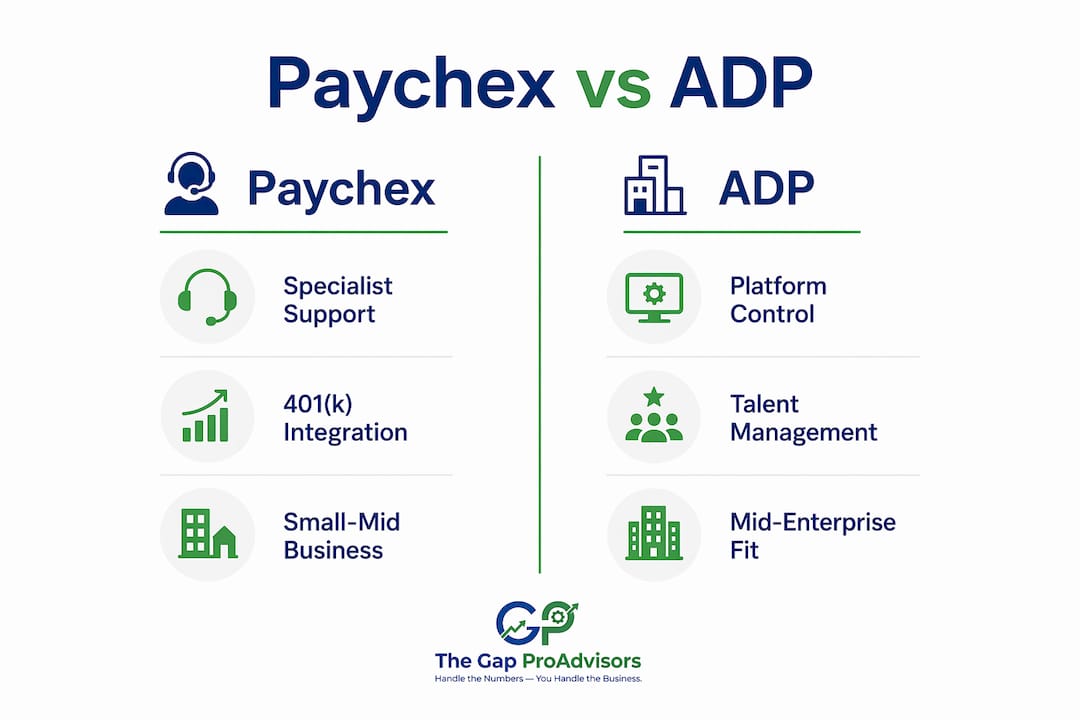
Both platforms handle the fundamentals well: automated tax filing, direct deposit, multiple pay schedules, and multi-state payroll. Where they split is depth and focus.
Paychex is the largest 401(k) recordkeeper in the United States, and that integration runs directly through Paychex Flex. Retirement plan management sits inside the same platform as payroll, which removes a lot of administrative friction for small business owners. ADP counters with its People Analytics product, which benchmarks workforce data against aggregated figures from 26+ million employees. That kind of reporting depth matters when your HR team is making compensation or retention decisions at scale.

For HR breadth, ADP Workforce Now includes talent management, learning tools, and succession planning as part of its suite. Paychex Flex covers benefits administration, compliance, and time tracking, but several of those tools are add-ons at lower tiers.
Pricing and contract terms
Neither provider publishes final pricing on their websites. Both use custom quotes through sales representatives, and both operate on annual contracts. Based on publicly available market data, Paychex Flex Essentials has a published starting price for its starter tier; ADP RUN and ADP Workforce Now pricing are available via quotes but not publicly listed, with pricing varying by plan and company size.
Add-ons are where both bills climb. Time tracking, benefits administration, HR advisory services, and compliance tools all carry separate per-employee fees. Monthly total costs depend on contract details and features selected, with prices varying significantly based on company size and modules included. Paychex tends to be more negotiable, particularly for companies with 20 or more employees.
Pro Tip: Get itemized quotes from both providers with identical module scope before comparing. The base price rarely reflects what you'll actually pay once you add the tools your business genuinely needs.
Customer support and dedicated representatives
Support quality depends heavily on account size. Paychex assigns a named payroll specialist to your account. That person knows your pay schedules, your state tax situation, and your compliance history. When the IRS sends a notice, your rep handles it directly. For a business owner without deep payroll expertise, that relationship has real practical value.
ADP routes support through tiered queues, with more dedicated access reserved for higher-revenue accounts. Smaller accounts may experience general support lines and longer response times. ADP's software is more self-sufficient by design, but that assumes your team has the capacity to manage it.
Implementation and onboarding
Paychex typically completes implementation in 4–8 weeks with a dedicated implementation specialist. The process includes payroll history migration, benefits setup, and a parallel payroll run before going live. ADP Workforce Now runs a more formal project, typically 8–16 weeks with defined phases, data migration tools, and training programs. Larger ADP deployments require dedicated internal project ownership.
Software integrations
Both platforms connect with major accounting tools. Paychex Flex integrates with QuickBooks, and ADP Workforce Now offers a broader library of integration partners. ADP carries more name recognition among third-party software vendors, which can matter if your business runs a complex tech stack. Paychex also offers its own time-clock hardware, including key cards and iris readers, that sync directly with payroll.
How to choose between Paychex and ADP for your business
The core strategic distinction is straightforward: do you want a dedicated expert relationship, or do you prefer managing a capable platform in-house? Your answer to that question should drive most of the decision.
Choose Paychex if:
- You have 10–300 employees and want a named payroll specialist
- Retirement plan integration is a priority
- Your HR team is lean or you're the one handling payroll yourself
- You want PEO services without enterprise-level complexity
- Budget matters and you want a lower starting price with room to negotiate
Choose ADP if:
- You have 50+ employees and expect to grow past 200
- You need payroll across multiple states or countries
- Your HR team has the capacity to manage a complex platform
- Workforce analytics and benchmarking data matter to your decisions
- You need advanced talent management tools built into your payroll system
Questions to ask both vendors before signing:
- What is the all-in monthly cost with every module we need, including add-ons?
- What are the contract length and auto-renewal terms?
- Who is our named contact, and what happens if they leave?
- What does the cancellation process look like, and are there exit fees?
- How long will implementation take, and who owns the project on your side?
Migrating away from either provider can be difficult. Legacy systems and data export complexity often require manual data handling and additional service fees. Review the exit terms before you sign, not after.
What makes Paychex and ADP different as businesses?
Paychex built its model around the dedicated specialist relationship. Ongoing administration is largely handled externally through your assigned rep, which reduces the burden on internal HR but limits how much you can configure the platform yourself. That trade-off works well for businesses that want payroll to run reliably without requiring a dedicated HRIS administrator.
ADP's model is a software platform first. It provides more self-service control and configurability, but requires more internal expertise and administrative effort to use well. HR teams with platform experience often prefer ADP's flexibility. Teams that prefer managed service prefer Paychex.
Both platforms have interfaces that feel dated compared to newer tools like Gusto or Rippling. That's a real trade-off for businesses that prioritize user experience, especially on mobile.
Key operational distinctions for Arizona SMB owners:
- Paychex's compliance support comes through your rep's knowledge of your state and industry; ADP's compliance dashboard monitors regulatory changes and flags required actions automatically
- ADP scales more cleanly from 50 employees to 1,000+; Paychex is the stronger fit below 300 employees
- Both serve Arizona businesses through verified Tempe and Phoenix offices
Key Takeaways
Paychex suits small to mid-sized businesses wanting dedicated specialist support, while ADP fits mid-market and enterprise companies needing analytics depth and global payroll reach.
| Point | Details |
|---|---|
| Business size fit | Paychex works best for 10–300 employees; ADP suits 50–1,000+ with a capable HR team. |
| Pricing structure | Neither publishes transparent pricing; typical Paychex pricing starts around $39–$60/month plus $5–$10 per employee; ADP pricing is often higher, starting around $10–$27 per employee per month for full suites. |
| Service model | Paychex assigns a named specialist; ADP relies on internal platform administration. |
| Retirement and compliance | Paychex leads U.S. 401(k) recordkeeping; ADP leads on automated compliance monitoring and analytics. |
| Mygappro alternative | For Arizona SMBs wanting hands-on payroll and bookkeeping support without a long-term enterprise contract, Mygappro offers remote payroll processing and tax services through a dedicated advisor model. |
What most Paychex vs ADP comparisons get wrong
The feature checklist approach to this decision misses the point. Both platforms handle payroll reliably. Both file taxes, run direct deposit, and support multiple pay schedules. The gap between them on core payroll functionality is genuinely small.
What actually separates them is the operating model and who owns the complexity. Paychex's specialist model means someone else is watching for compliance changes, catching errors, and handling IRS notices. That has real value for a business owner who is also managing sales, operations, and customer relationships. The cost of a payroll mistake, whether a misfiled tax or a missed garnishment, often exceeds the cost difference between the two providers.
ADP's platform model gives your HR team more control and more data. But control is only valuable if someone on your team has the time and expertise to use it. A powerful platform sitting underutilized is not a bargain.
The honest question is not "which platform has more features?" It's "which operating model fits how my team actually works?" Get that right, and the feature comparison becomes secondary.
A different approach to payroll and bookkeeping support
Paychex and ADP are both solid choices for businesses that want a large national provider. But if you're an Arizona small business owner who wants personalized payroll support without the complexity of an enterprise contract, Mygappro offers a different path.
Mygappro provides remote payroll processing, bookkeeping, and tax preparation through a dedicated advisor model, all through a secure online portal. There are no enterprise-scale minimums, no opaque add-on fees, and no general support queues. You work with an advisor who knows your books, your payroll schedule, and your tax situation year-round. For Arizona business owners who want accurate, stress-free payroll without committing to a multi-year contract, small business accounting support from Mygappro is worth a conversation. You can also explore the full range of bookkeeping, tax, and payroll services to see what fits your business.