
TL;DR:
- For small businesses processing fewer than 30 invoices monthly, Melio offers affordable, simple bill payments without vendor registration. Bill.com suits growing organizations with complex workflows, multi-entity needs, and deeper ERP integrations, justifying higher costs at higher volumes. Accurate financial records are essential before choosing any platform, and managed bookkeeping services can ensure trust in the data.
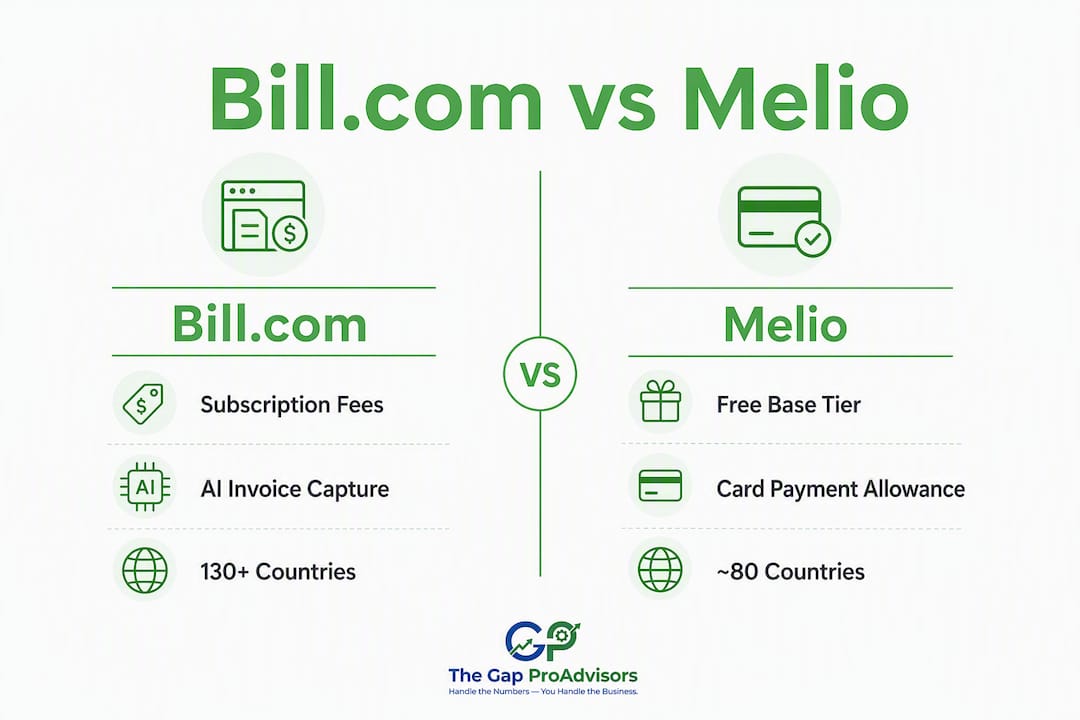
If you process fewer than 30 invoices a month and want to pay vendors without a monthly subscription, Melio is the cleaner, cheaper choice. If your team needs multi-level approvals, AI-powered invoice capture, ERP integrations, or international payments to 130+ countries, Bill.com is worth the higher price.
TL;DR:
- Melio: Best for cost-conscious solo owners and small teams. Pay vendors by credit card even when they only accept ACH. No vendor registration required. Trade-off: limited automation, fewer integrations, and a smaller international footprint.
- Bill.com: Best for growing businesses with complex AP workflows. Strong audit trails, AI invoice capture, and native ERP sync. Trade-off: higher per-user fees and vendor registration friction can slow onboarding.
The single biggest decision pivot is your monthly invoice volume combined with approval complexity. For low invoice volume with a single approver, Melio saves you money. Over 50 invoices with multiple approvers or multi-entity needs? Bill.com's automation starts paying for itself.
Table of Contents
- What is Bill.com and what is Melio?
- Bill.com vs Melio: side-by-side comparison
- How do the pricing models actually compare?
- Which accounting systems do they integrate with?
- What payment methods and timing should you expect?
- How do approval workflows and automation compare?
- What security and compliance standards do they meet?
- How long does onboarding take, and what support can you expect?
- How do you choose between them? A practical decision checklist
- When should you hire a bookkeeping partner instead of self-managing a platform?
- Key Takeaways
- What we recommend for our bookkeeping clients
- Accurate books matter more than the right platform
- Sources and further reading
- FAQ
What is Bill.com and what is Melio?
Bill.com: AP automation built for scale
Bill.com (now branded as BILL) is a financial operations platform built for small- and mid-market businesses that have outgrown basic bill pay. It handles both accounts payable and accounts receivable, with AI-powered invoice capture, multi-level approval workflows, and native integrations with NetSuite, Sage Intacct, Microsoft Dynamics 365, QuickBooks, and Xero. The platform targets finance teams that need a documented, auditable payment process and plan to grow into ERP territory.
- Target customer: Growing SMBs, mid-market finance teams, multi-entity businesses
- Pricing model: Subscription per user, plus per-transaction fees
- Standout capability: Vendor-neutral AP layer with deep ERP integrations and sequential audit trails
Melio: Simple bill pay for lean teams
Melio is a lighter-weight accounts payable tool designed for small businesses that want to pay vendors quickly without complex setup. Its most distinctive feature is card-to-ACH conversion: you fund a payment with a credit card, and Melio delivers ACH or a paper check to the vendor. That means you can earn card rewards and extend cash flow while vendors receive payment the way they prefer, with no registration required on their end.
- Target customer: Solo owners, freelancers, small teams under 10 employees
- Pricing model: Pay-as-you-go with a free base tier; fees apply per transaction
- Standout capability: Card-funded payments delivered as ACH or check, zero vendor friction
Bill.com vs Melio: side-by-side comparison
| Dimension | Bill.com | Melio |
|---|---|---|
| Best for / ideal size | Growing SMBs, mid-market, multi-entity | Solo owners, small teams, lean AP |
| Pricing model | Subscription + per-user + per-transaction | Pay-as-you-go; free base tier available |
| Integrations | QuickBooks, Xero, NetSuite, Sage Intacct, Microsoft Dynamics 365 | QuickBooks Online, Xero (limited ERP depth) |
| Payment methods | ACH, card, virtual card, check, international wires | ACH, credit card (card-to-ACH), check, international (limited) |
| Approval workflows | Multi-level, conditional, role-based | Basic single-level approvals |
| Automation & invoice capture | AI/OCR capture, duplicate detection, email forwarding | Mainly manual upload; simpler capture |
| International payments | 130+ countries | ~80 countries, fewer currencies |
| Security & compliance | SOC 1 & SOC 2 Type II, fraud detection, MFA | SOC 2 Type II, ISO certifications, MFA |
| Support & onboarding | Dedicated success reps at higher tiers; chat and phone | Self-serve, chat; limited phone support |
| Payment speed | Standard ACH 2–3 days; same-day and instant options | Standard ACH 2–3 days; expedited options available |
Where differences materially affect your choice:
- Vendor registration friction: Bill.com requires vendors to register in its network to receive payments. If you pay many one-off vendors or contractors, that friction adds up. Melio delivers directly to any bank account or mailing address with no vendor action needed.
- Card-to-ACH flexibility: — Melio's card funding mechanic is genuinely useful for cash flow management. You pay with a card today, the vendor gets ACH in 2–3 days, and you settle your card balance later. Bill.com supports card payments but without the same conversion flexibility.
How do the pricing models actually compare?
Bill.com charges a base subscription per user per month, plus per-transaction fees on top. Melio offers a free base tier with pay-as-you-go transaction fees. Here is how the fee structures break down:
| Fee Type | Bill.com | Melio |
|---|---|---|
| Base subscription | Per-user monthly fee (varies by plan) | Free base tier available |
| ACH transfer | ~$0.59 per transaction | ~$0.50 per transaction (after free allowances) |
| Credit card payment | ~2.9% of transaction | ~2.9% of transaction |
| Same-day / instant ACH | Additional fee applies | Additional fee applies |
| International wire | Fee applies; varies by destination | Fee applies; varies by destination |
| Paper check | Fee per check | Fee per check |
Two worked cost examples:
-
20 invoices per month, one user, ACH only. With Melio's pay-as-you-go model, you pay roughly $10 in ACH fees (20 × $0.50) and no subscription. With Bill.com, you pay the per-user subscription plus roughly $11.80 in ACH fees (20 × $0.59). At low volume, Melio's total cost is meaningfully lower.
-
75 invoices per month, three users, mixed ACH and card. Bill.com's per-user subscription now covers three seats, and the AI invoice capture starts reducing manual data entry. Melio's transaction fees scale linearly with no automation offset. At this volume and team size, Bill.com's total cost per invoice often becomes competitive once you factor in time saved on capture and reconciliation.
The cost inflection point sits around 50 invoices per month. Below that threshold, a subscription plus per-transaction model tends to cost more than pay-as-you-go. Above it, especially when you add users and approval steps, automation ROI becomes real. The math also shifts if you use credit card funding frequently on Melio, since the 2.9% fee on large vendor payments can dwarf any subscription savings.
Which accounting systems do they integrate with?
| Platform | QuickBooks Online | QuickBooks Desktop | Xero | NetSuite | Sage Intacct | Microsoft Dynamics 365 |
|---|---|---|---|---|---|---|
| Bill.com | Two-way sync | Yes | Two-way sync | Native direct sync | Native direct sync | Native direct sync |
| Melio | Two-way sync | Limited | Two-way sync | No | No | No |
Bill.com's vendor-neutral architecture is the key advantage here. Because it sits as an independent AP layer on top of your accounting system, your approval workflows, audit trails, and payment history stay intact if you migrate from QuickBooks to an ERP like NetSuite or Sage Intacct later. Melio is built closer to QuickBooks Online and works well within that ecosystem, but it does not travel well if your accounting stack changes.
A quick stack-check before you decide:
Pro Tip: If you are currently on QuickBooks Online and considering a future ERP move, choosing a vendor-neutral AP layer like Bill.com from the start protects your workflow investment. Rebuilding approval hierarchies and audit trails after a migration is expensive and time-consuming.
What payment methods and timing should you expect?
Both platforms support ACH, credit card, paper check, and international wires. The mechanics and vendor experience differ in ways that matter operationally.

| Payment Type | Bill.com | Melio |
|---|---|---|
| Standard ACH | 2–3 business days | 2–3 business days |
| Same-day ACH | Available (fee applies) | Available (fee applies) |
| Instant transfer | Available at higher tiers | Available (fee applies) |
| Paper check | Mailed by platform; 5 business days | Mailed by platform; 5 business days |
| International wire | 130+ countries | ~80 countries |
| Credit card funding | Supported | Card-to-ACH conversion supported |
Melio's card-to-ACH conversion deserves a closer look. When you fund a payment with a business credit card, Melio converts it and delivers ACH or a check to the vendor. The vendor never sees a card transaction and never needs to accept cards. For small business owners managing cash flow carefully, this creates a useful float window: pay vendors on time, earn card rewards, and settle the card balance on your own schedule. The 2.9% fee applies, so it works best on smaller payments where the rewards value is proportional.
Bill.com's international reach covers 130+ countries compared to Melio's roughly 80. If you regularly pay overseas suppliers or contractors, that gap matters. Bill.com also supports virtual card payments, which Melio does not offer as a standard option.
One practical note on vendor registration: Bill.com requires vendors to set up an account in its network before they can receive payment. For established vendor relationships, that is a one-time setup. For businesses that pay many new or one-off vendors, it creates friction every time. Melio eliminates that step entirely, which is one of the strongest reasons small teams prefer it.
How do approval workflows and automation compare?
This is where the two platforms diverge most sharply, and where your invoice volume and team structure should drive the decision.
Bill.com's automation capabilities:
- AI/OCR invoice capture with automatic field extraction from forwarded emails and PDF attachments
- Duplicate invoice detection that flags potential double payments before they process
- Multi-level, conditional approval workflows with role-based routing
- Bulk payment processing for high-volume AP runs
- Automated payment scheduling and recurring bill management
Melio's automation capabilities:
- Manual invoice upload and photo capture (simpler, lower-tier capture flow)
- Basic approval routing (single-level in most configurations)
- Recurring payment scheduling
- No native duplicate detection at the same depth as Bill.com
For a solo owner paying a typical small number of vendors monthly, Melio's manual upload is not a burden. For a finance team processing 80+ invoices across multiple cost centers, Bill.com's AI capture and duplicate detection prevent the kind of errors that cost real money and create reconciliation headaches at month-end.
Pro Tip: The automation ROI threshold is roughly 50 invoices per month. Below that, the time you spend managing a more complex platform often exceeds the time you save on data entry. Above it, AI capture and duplicate detection typically save one to two hours per week in a small finance team.

The reconciliation benefit is real too. When Bill.com's AI capture pulls invoice data accurately and maps it to the right GL codes, your bookkeeper spends less time on month-end cleanup. That translates directly to lower bookkeeping costs or faster close cycles.
What security and compliance standards do they meet?
Both platforms meet the baseline security standards you should require from any payment tool handling business funds.
Checklist of what to verify before committing to either platform:
- SOC 2 Type II audit (both platforms carry this)
- SOC 1 audit (Bill.com; verify current status for Melio)
- ISO certifications (Melio highlights these; Bill.com emphasizes AICPA SOC audits)
- 256-bit encryption for data in transit and at rest
- Multi-factor authentication (both support MFA)
- AML and OFAC screening for international payments
- Fraud monitoring and anomaly detection
Bill.com references annual SOC 1 and SOC 2 Type II audits alongside layered fraud detection tools. Melio lists SOC 2 Type II and ISO certifications. For most small businesses, both sets of credentials are sufficient. The difference shows up in audit trail depth.
Bill.com maintains a detailed sequential audit trail: every approval action, payment status change, and user activity is logged with timestamps and user IDs. That level of recordkeeping matters when you have multiple approvers, when you need to respond to a vendor dispute, or when an auditor asks for payment authorization documentation. Melio's activity history is functional but less granular, which is fine for a one-person shop and potentially insufficient for a business with governance requirements or investor oversight.
For finance teams managing regulated accounts or multi-approver workflows, the audit trail difference alone can justify Bill.com's higher cost. A clean, exportable approval log is not a luxury when you are preparing for a financial audit or responding to a fraud investigation.
How long does onboarding take, and what support can you expect?
| Onboarding Step | Bill.com | Melio |
|---|---|---|
| Account sign-up | 1 day | 1 day |
| Accounting system sync | 1–2 days | 1 day |
| Vendor setup / registration | 3 days (vendors must register) | 1–2 days (no vendor action needed) |
| Pilot payments | Days 5–10 | Days 3–5 |
| Full go-live | 2–3 weeks | 1 week |
Melio's onboarding is faster primarily because vendors do not need to take any action. You enter their bank details or mailing address, and payments go out. Bill.com's vendor registration requirement adds a week or more when you have a large vendor list, since you are waiting on third parties to complete their setup.
Support quality scales with your plan on both platforms. Melio leans heavily on self-serve documentation and chat support. Bill.com offers dedicated customer success managers at higher service tiers, plus phone support. If your team is implementing AP automation for the first time and expects questions during rollout, Bill.com's onboarding support is more hands-on. For a small team comfortable with self-service, Melio's documentation is clear and the setup is genuinely simple.
How do you choose between them? A practical decision checklist
Work through these questions in order. The first answer that clearly points one direction is usually the right signal.
- What is your current monthly invoice volume? At lower invoice volumes, start with Melio. At higher invoice volumes, evaluate Bill.com seriously.
- How many people need to approve payments? One approver: either platform works. Two or more levels: Bill.com's conditional workflows are worth the cost.
- Which accounting system do you use, and do you plan to change it? Staying on QuickBooks Online: both work. Moving toward NetSuite or Sage Intacct: choose Bill.com now.
- Do you pay international vendors regularly? Fewer than 80 destination countries: Melio may cover you. More than that, or needing deeper currency support: Bill.com's 130+ country coverage is the safer choice.
- How important is vendor experience? Many one-off vendors or contractors: Melio's no-registration model reduces friction. Established vendor relationships: Bill.com's network registration is a one-time setup.
- What is your monthly budget for AP tools? Tight budget, low volume: Melio's pay-as-you-go model wins. Willing to pay for automation and audit depth: Bill.com's subscription pays back at scale.
Questions to ask during a demo or RFP:
- What does the vendor registration process look like, and what happens if a vendor refuses to register?
- How does card-to-ACH conversion work, and what is the exact fee structure?
- Can we export a full audit trail in CSV or PDF format for an external auditor?
- What is the API access model, and does it require a higher-tier plan?
- How does the platform handle a backup payment method if a primary ACH fails?
Red flags that should pause a purchase decision:
- Fees that are not clearly listed before you sign up (especially international wire fees and same-day ACH surcharges)
- A vendor registration requirement with no fallback for vendors who decline to register
- Opaque settlement timing that makes it unclear when funds leave your account versus when the vendor receives them
- No exportable audit trail or approval log
When should you hire a bookkeeping partner instead of self-managing a platform?
Software solves a process problem. A bookkeeping partner solves a knowledge problem. Those are different things, and confusing them is one of the most common mistakes small business owners make when evaluating AP tools.
A payments platform like Bill.com or Melio handles the mechanics of moving money from your account to a vendor's. It does not categorize transactions correctly, reconcile your bank accounts, prepare your books for tax season, or flag when your expense ratios are drifting. That work still needs to happen, and if you are doing it yourself in QuickBooks at midnight before a tax deadline, a software upgrade is not going to fix it.
Use cases where a managed bookkeeping engagement adds measurable value:
- Your books are more than three months behind and need a cleanup before you can use any AP tool accurately
- You run two or more legal entities and need consolidated financial statements
- Your AP workflow involves tax-sensitive accounts (contractor payments, reimbursements, asset purchases) that require correct categorization to avoid IRS issues
- You want someone to review payment approvals and flag anomalies, not just process them
- You are preparing for a business loan, investor review, or tax audit and need clean, defensible records
The small business accounting services that Mygappro provides are designed for exactly these situations. Rather than buying a platform and managing it yourself, you get accurate books, correct categorization, and a proactive partner who understands your numbers. For many small business owners, that combination costs less per month than a Bill.com subscription plus the time they spend managing it.
For businesses that also need payroll handled alongside bookkeeping, Mygappro's payroll services cover all 50 states remotely, which means you can consolidate both functions with one trusted partner instead of managing two separate platforms.
Key Takeaways
Melio is the right starting point for most small businesses under 50 invoices per month; Bill.com becomes the stronger choice once volume, approval complexity, or ERP integration needs grow past what a simple bill-pay tool can handle.
| Point | Details |
|---|---|
| Volume is the primary trigger | Lower invoice volumes tend to favor Melio; higher invoice volumes are where Bill.com's automation pays back. |
| Vendor friction differs significantly | Melio requires no vendor registration; Bill.com requires vendors to join its network before receiving payment. |
| ERP integration depth matters | Bill.com syncs natively with NetSuite, Sage Intacct, and Microsoft Dynamics 365; Melio stops at QuickBooks Online and Xero. |
| International coverage gap | Bill.com covers 130+ countries; Melio covers approximately 80, with fewer supported currencies. |
| Mygappro as an alternative | For businesses that need accurate books and proactive financial oversight, Mygappro's managed bookkeeping removes the need to self-manage either platform. |
What we recommend for our bookkeeping clients
Most of the small business owners who come to us are not choosing between Bill.com and Melio in a vacuum. They are choosing between spending time managing a payments platform and spending that time running their business. That context shapes every recommendation we make.
For clients who are early-stage, processing a modest number of vendor payments each month, and primarily on QuickBooks Online, Melio is a sensible starting point. The no-registration vendor experience alone saves hours of back-and-forth, and the pay-as-you-go model keeps costs proportional to activity. The card-to-ACH feature is genuinely useful for owners who want to manage cash flow without asking vendors to change how they receive payment.
For clients who are growing, adding staff, managing multiple cost centers, or planning an ERP migration, Bill.com is the more durable investment. The audit trail depth and multi-level approval workflows are not features you appreciate until you need them. By the time you realize you need them, rebuilding your AP process from scratch is painful. Choosing a vendor-neutral platform early is the kind of decision that looks obvious in hindsight.
What we see most often, though, is that the real problem is not which platform to buy. It is that the books are not clean enough to use either platform accurately. A payments tool is only as useful as the accounting records it feeds into. That is where we spend most of our time with new clients: getting the foundation right before adding any new software layer on top.
Accurate books matter more than the right platform
The choice between Bill.com and Melio is real, but it is a secondary decision. The primary question is whether your financial records are accurate enough to trust the numbers either platform produces.
Mygappro provides remote bookkeeping services at a flat monthly rate for small businesses across the U.S. You get accurate, up-to-date books, correct transaction categorization, and a proactive partner who reviews your numbers every month. If your books need cleanup before you can move forward, the Fix My Books service gets you caught up and ready to use any AP tool with confidence.
Whether you decide to self-manage with Melio, invest in Bill.com's automation, or hand off the financial management entirely, the starting point is the same: clean, accurate books. Schedule a free consultation with Mygappro to find out which path makes the most sense for your business.
Sources and further reading
- Bill.com vs. Melio (2026): Which AP Platform Is Actually Worth Your Money? — Smallbizbenchmark: Detailed feature and pricing comparison with cost-inflection analysis.
- Melio vs. Bill.com: Side-by-Side Comparison for U.S. Business Growth — Wise: Transaction fee breakdown and vendor experience comparison.
- Compare BILL vs QuickBooks Bill Pay — Fit Small Business: Analysis of integration behavior and ERP migration considerations.
- Ramp vs Brex: Best Pick for Small Business in 2026 — Mygappro Blog: Related platform comparison from The Gap ProAdvisors for additional context on evaluating finance tools.
FAQ
Is Melio an Israeli company?
Yes. Melio was founded in Israel and is headquartered in New York, operating as a U.S.-focused payments platform for small businesses.
What are the main drawbacks of Bill.com?
The most common complaints involve vendor registration requirements that create friction with one-off payees, per-user subscription costs that add up quickly for small teams, and a steeper learning curve compared to simpler bill-pay tools.
What is the difference between QuickBooks Bill Pay and Melio?
QuickBooks Bill Pay is built directly into QuickBooks Online and is tightly coupled to that ecosystem, while Melio is a standalone platform that syncs with QuickBooks Online but also operates independently. Melio's card-to-ACH conversion and no-vendor-registration model are features QuickBooks Bill Pay does not replicate. If you plan to move off QuickBooks, Melio travels with you; QuickBooks Bill Pay does not.
At what invoice volume does Bill.com become worth the cost?
Industry guidance points to roughly 50 invoices per month as the threshold where Bill.com's AI capture, duplicate detection, and multi-level approvals save enough time to offset the per-user subscription and transaction fees.
Can Mygappro help if my books are too messy to use either platform?
Yes. Mygappro's bookkeeping cleanup service gets your records current and accurate before you add any new payment tool, so the numbers you see in your AP platform are ones you can actually trust.