
If you already filed a wrong 1099, file a corrected Form 1099 using the same form type and get a corrected copy to your recipient right away. Check the CORRECTED box on the new form. Never mark VOID on a return you already sent to the IRS. If your original went in electronically, you generally have to correct it electronically too, and acting fast keeps your penalty exposure small.
TL;DR:
- Correct Type 1 errors with one form and marked corrected, while Type 2 errors require two transactions including zeroing out the original.
- Filing corrections promptly within 30 days limits penalties, but delays up to August 1 increase penalties significantly, with post-August corrections facing the highest fines.
- When correcting electronically, always use the same software, and keep transmission IDs to prove timely filing; switching vendors without the original submission ID risks rejection.
- Provide recipients with the corrected Copy B promptly through secure methods, including a note explaining the changes to avoid discrepancies on their tax returns.
- Never mark a void on a form already filed or processed, only void forms before mailing if the error is caught early; corrections involve filing a new, marked form and proper forms for both paper and electronic submissions.
Table of Contents
- What Are Type 1 and Type 2 Errors on a Filed 1099?
- When Do You Need to Correct, and What Are the Penalty Tiers?
- How Do You File a Corrected 1099 on Paper?
- How Do You Correct a 1099 Electronically?
- How Do You Furnish a Corrected Copy to Your Recipient?
- Should You Void or Correct a 1099? Here's the Difference
- Your Quick Checklist for Fixing a Filed 1099
- How Mygappro Handles 1099 Corrections for Small Business Clients
- Fix It Fast, Then Fix the Process
- Get Your 1099 Corrected and Stay Compliant Year-Round
- Sources
- FAQ
What Are Type 1 and Type 2 Errors on a Filed 1099?
Every 1099 correction starts with one question: is this a Type 1 error or a Type 2 error? The answer determines whether you're filing one corrected form or two.
Type 1 errors involve the numbers or the form itself. Wrong dollar amount, wrong code, wrong checkbox, or a form you filed that shouldn't have been filed at all. These usually need just one corrected return that replaces the bad data with the right data.
Type 2 errors are identity problems: wrong taxpayer identification number (TIN), wrong payee name, or the wrong form type entirely (say, you filed a 1099-MISC when the situation called for a 1099-NEC). These require two transactions. First, you file a corrected return that zeroes out the original figures to cancel the bad record. Then you file a new original return with the correct information. Paper filers also need to add specific margin notes on Form 1096, spelled out in the general instructions for information returns.
There's a narrow exception worth knowing about. Small dollar-amount errors, sometimes called de minimis errors, may not require a correction at all unless the payee specifically asks for one. This safe harbor exists for genuinely minor discrepancies, not as a workaround for sloppy recordkeeping, so don't lean on it if the difference actually matters to the recipient's tax return.
- Type 1: dollar amounts, codes, checkboxes → one corrected form
- Type 2: TIN, payee name, form type → two transactions plus 1096 notes
- De minimis: small amount errors → correction optional unless the payee requests it
When Do You Need to Correct, and What Are the Penalty Tiers?
There's no separate "amended 1099" deadline sitting on your calendar. The IRS expects corrections as soon as possible after you catch the mistake, and how fast you act directly changes what you'll owe if the IRS assesses a penalty.
The penalty structure runs in tiers based on your original due date, and it applies per form, not per business:
Penalty snapshot: Correcting within 30 days of the due date carries the lowest per-form penalty tier. Waiting until after 30 days but filing by August 1 pushes you into a middle tier. Filing after August 1, or not filing a correction at all, lands in the highest tier. Intentional disregard of the filing requirement removes the tier structure entirely and applies a flat, much steeper penalty with no cap. Current per-form amounts and small-business maximums are detailed in the instructions for Form 1099-MISC and Form 1099-NEC.
Here's a scenario that trips up a lot of business owners: your contractor files their tax return before you've corrected the bad 1099. If that happens, the recipient should file Form 4852 as a substitute or call the IRS at 800-829-1040 to report the discrepancy rather than waiting on you. If your correction later changes the numbers on a return they've already filed, they'll need to file Form 1040-X to amend it. That's an extra step you can spare a contractor entirely by correcting the form before tax season gets underway.
How Do You File a Corrected 1099 on Paper?
Paper correction follows a specific sequence, and skipping a step is what causes IRS processing delays.
- Prepare a new Form 1099 of the same type as the original, and check the CORRECTED box at the top. For Type 2 errors, your first form will show zeroed amounts to cancel the original filing.
- Enter the correct information. For Type 1 errors, this is straightforward: put in the right dollar amount, code, or checkbox. For Type 2, your second form is a new original with the correct TIN, name, or form type.
- Leave out the original incorrect return entirely. Don't attach it, don't reference it beyond the required margin notes on Form 1096 for Type 2 corrections.
- Prepare a fresh Form 1096 transmittal. Group your corrections by form type, and never reuse the 1096 you filed with the original batch, according to Pub. 1099.
- Mail to the correct IRS processing center for your state and keep dated copies of everything you send.
If you're correcting several forms at once, batch them by form type and error type before mailing. It keeps your own records straight and matches how the IRS expects the paperwork organized.
How Do You Correct a 1099 Electronically?
If your original 1099 went in through e-file, your correction generally has to go in the same way. Switching to paper without an IRS waiver on file is a mistake filers make more often than you'd think, and it can cause the correction to be rejected or mismatched against the original.
- Log back into FIRE, IRIS, or your filing software and select the correction option rather than starting a new original submission.
- Follow the same one-transaction or two-transaction logic as paper filing. Type 1 errors need one corrected electronic record; Type 2 errors need a zeroing correction followed by a new original, per Pub. 1220.
- Save every transmission ID and confirmation. If the IRS ever questions the correction, this is your proof of timely filing.
One detail catches people off guard: if you're switching software vendors between your original filing and your correction, you typically need the original submission ID from whoever filed the first return. Without it, the new vendor's system may not be able to link the correction to the original record, and the FIRE portal has no way to connect the two on its own.
How Do You Furnish a Corrected Copy to Your Recipient?
Filing with the IRS is only half the job. You're also required to furnish the recipient a corrected Copy B whenever their statement changed, and skipping this step leaves your contractor filing their own return with numbers that no longer match what you sent the government.
- Send corrected Copy B by mail with tracking, or through a secure client portal if you use one.
- Include a short note explaining what changed and why, so the recipient isn't left guessing why a second 1099 landed in their mailbox.
- Keep the original incorrect form, the corrected form, your Form 1096, and any transmission confirmations for at least three years. If the underreporting was substantial, hold onto them longer.
- A simple cover note works fine: "This corrected 1099 replaces the version you received on [date]. The updated amount reflects [brief reason]."
Should You Void or Correct a 1099? Here's the Difference
This is the single most common mix-up small business owners make, and it's an easy one to avoid once you understand the rule.
VOID is for forms that were never sent anywhere. If you catch a typo before the form leaves your hands, mark VOID, discard it, and prepare a fresh one. That's it. No IRS involvement needed.
CORRECTED is for anything that already reached the IRS or your recipient. Marking VOID on a form the IRS already has on file does nothing. IRS scanners are built to ignore it, according to the general instructions for information returns, because the system has no mechanism to "unfile" something that's already in its database.
- Void it: you caught the typo before mailing or e-filing.
- Correct it: the form already went to the IRS, your recipient, or both.
- Never: mark VOID on a form the IRS has already processed and expect it to cancel anything.
Your Quick Checklist for Fixing a Filed 1099
Print this out or save it, because you'll want it the next time a corrected number surfaces after filing season.
- Classify the error. Type 1 (money, code, checkbox) or Type 2 (TIN, name, form type)?
- Gather your documentation. Pull the recipient's W-9, your original filing confirmation, and whatever records prompted the correction.
- File the correction. Paper or electronic, matching how the original went in, then furnish the recipient's corrected copy.
- Retain your records. Keep confirmations, dated copies, and a note of exactly when you filed the correction, since timing affects your penalty tier.
Pro Tip: Collect a signed W-9 before you issue a contractor's first payment, not after. Most TIN mismatches that trigger Type 2 corrections trace back to a W-9 that was never collected, or one that was filled out wrong and never double checked. A quick reconciliation of your contractor payments against your W-9 file every November, before year-end 1099 season kicks off, catches most problems while you still have time to fix them quietly.
How Mygappro Handles 1099 Corrections for Small Business Clients
Mygappro (The Gap ProAdvisors) manages contractor 1099 compliance as a standard part of remote bookkeeping work, not as an emergency add-on. That starts with collecting W-9s before the first contractor payment goes out and reconciling contractor totals against those records throughout the year, so mismatches get caught before January instead of after.
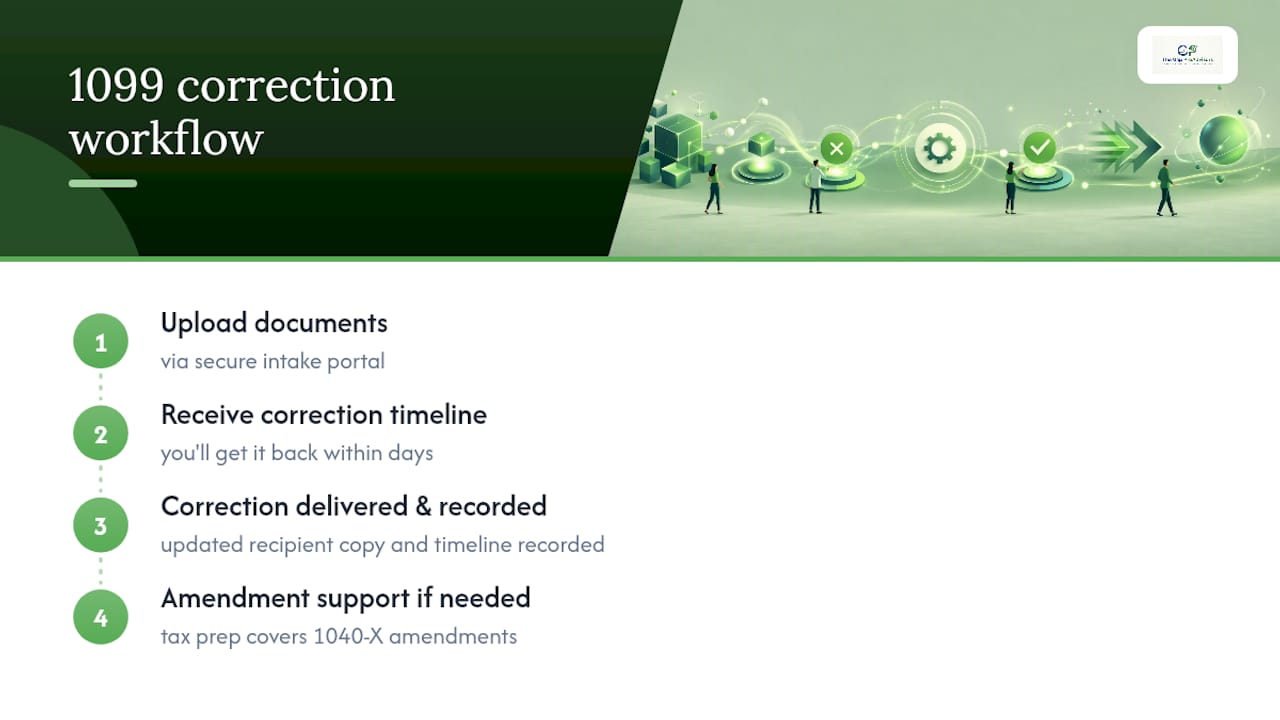
When a correction is needed, clients upload documents through a secure client portal and follow a standard internal checklist built around the same Type 1 and Type 2 categories the IRS uses. That includes penalty-mitigation steps aimed at getting corrections filed inside the earliest, lowest-penalty tier whenever possible. Clients typically get a clear timeline upfront: what documents are needed, how the correction will be filed, and when the recipient's corrected copy will go out.
Fix It Fast, Then Fix the Process
The IRS penalty tiers reward speed, but the real lesson from watching small businesses go through this is that almost every correction traces back to a document that should have been collected months earlier. A missing or wrong W-9 causes most Type 2 errors I see. Require one before the first payment leaves your account, every time, no exceptions.
— Angela
Get Your 1099 Corrected and Stay Compliant Year-Round
Mygappro fixes filed 1099 errors directly, correcting the return, furnishing the recipient's updated copy, and documenting the timeline so you have a clean record if the IRS ever asks. That's a meaningfully faster path than researching Type 1 versus Type 2 rules yourself while a penalty clock runs in the background.

Beyond one-time corrections, Mygappro's remote bookkeeping services build W-9 collection and contractor reconciliation into your monthly workflow, so next year's 1099 season doesn't produce the same scramble. If your errors are part of a bigger mess, from mismatched contractor records to books that need a full cleanup, the Fix My Books service catches everything at once instead of one form at a time. Mygappro serves small businesses remotely across all 50 states through a secure online portal.
Getting started takes one step: upload your documents through the secure intake portal, and you'll get a correction timeline back within days. If the correction affects a return you've already filed, tax preparation support covers the 1040-X amendment too, so you're not managing two separate fixes on two separate tracks.
This article is general information, not a substitute for advice from a qualified financial advisor. Consult a qualified financial professional about your own circumstances before acting on anything here.
FAQ
How Do I Submit a Corrected 1099 to the IRS?
File a new Form 1099 of the same type, check the CORRECTED box, and submit it the same way you filed the original: paper with a new Form 1096, or electronically through FIRE, IRIS, or your filing software.
Can You File a Corrected 1099 After the Deadline?
Yes. There's no separate correction deadline, but the IRS penalty tiers get steeper the longer you wait, so file as soon as you catch the error rather than waiting for a specific date.
How Do You Correct a 1099 With the Wrong TIN or Name?
That's a Type 2 error. File a corrected return that zeroes out the original amounts, then file a new original return with the correct TIN or payee name, adding the required margin notes on Form 1096 if you're filing on paper.
What Is the Penalty for Filing an Incorrect 1099?
Penalties are tiered by how late the correction is filed relative to the original due date, with the lowest tier for corrections within 30 days and the steepest, uncapped penalty reserved for intentional disregard, as detailed in the Form 1099-MISC and 1099-NEC instructions.
What Happens if My Contractor Already Filed Their Taxes Before I Corrected the 1099?
They can file Form 4852 as a substitute or call the IRS at 800-829-1040, and if your later correction changes the figures on their filed return, they'll need to file Form 1040-X to amend it.